
Learn ESP32: 20 Interactive Labs
Explore a 3D ESP32 DevKit and run 20 labs covering GPIO, sensors, motors, Wi-Fi, Bluetooth and ESP-NOW. Inspect wiring, code and live signals.
Browse the lesson guides ↓Meet the ESP32
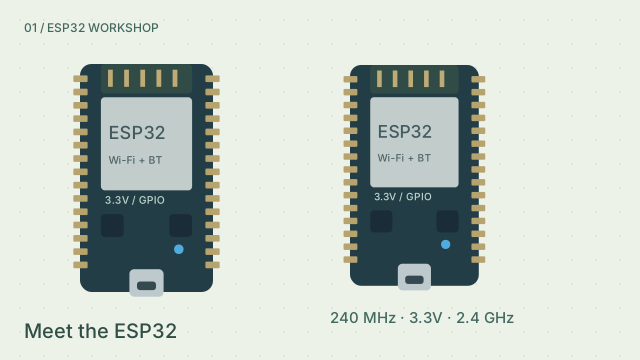
Explore the module, antenna, USB, GPIO and 3.3 V supply.
Preparing the 3D view. Experiment controls are already available.
3D is unavailable on this device. Circuit view and simulation controls still work.
Component directory · select to locate
No matching parts. Try a component name or pin number.
Numbers match model markers. Select a part for its function, connections and controls. With the model focused: Q/E rotate, WASD pan, +/− zoom, R reset, Esc returns.
Experiment controls
Change one thing. Make a prediction, then run it.
void setup() {
  Serial.begin(115200);
  pinMode(2, OUTPUT);
}

void loop() {
  digitalWrite(2, HIGH);
  Serial.println("Hello, ESP32 · 3.3V logic");
  delay(1000);
}| Pin | Connects to |
|---|
Signal-path reference only. Verify component documentation for physical wiring.
Guided simulation · not a C++ compiler
Your experiment
Locate GPIO 2, GPIO 34 and GND before running your first sketch.
Show explanation
All 20 ESP32 lessons
Start with the ESP32 DevKit and alternating LEDs, then move on to wireless and connected projects. Each guide includes wiring, a sketch, an observation task and a knowledge check.
- Meet the ESP32Run experiment
Explore the module, antenna, USB, GPIO and 3.3 V supply.
- Flash two LEDsRun experiment
Build a crossing signal with two independently wired lights.
- Guard the fridgeRun experiment
A magnetic reed switch tells you when a door has been open too long.
- Use Wi-FiRun experiment
A tiny HTTP server lets a virtual phone switch an LED.
- Sound a sirenRun experiment
Sweep a passive buzzer between two frequencies.
- Build a mini pianoRun experiment
Eight copper pads use capacitive touch to play an octave.
- Fill a ring of LEDsRun experiment
Map a 12-bit potentiometer reading to twelve addressable pixels.
- Make a mood lampRun experiment
Mix three PWM channels inside a frosted globe.
- Light up in the darkRun experiment
Use an LDR divider and a threshold to switch a desk lamp.
- Distance meterRun experiment
Time an ultrasonic echo and show centimeters on an OLED.
- Drive a wheelRun experiment
An H-bridge controls both speed and direction of a DC motor.
- Laser barrier gateRun experiment
An interrupted beam opens a striped servo barrier.
- Talk over BluetoothRun experiment
Pair a virtual phone and send ON or OFF to the board.
- Board to boardRun experiment
Send a potentiometer reading directly to a second ESP32.
- Smart parking bayRun experiment
Combine ranging, traffic lights and a Wi-Fi occupancy page.
- Automatic water pumpRun experiment
A level probe and a relay keep a tank between two marks.
- Keypad door lockRun experiment
Scan a 3 × 4 keypad and open a servo lock with the right code.
- Sun-tracking solar panelRun experiment
Balance two light sensors to aim a servo-mounted panel.
- Ultrasonic radarRun experiment
Sweep a distance sensor and plot a detected target by angle.
- Pick and placeRun experiment
Coordinate a stepper base, servo arm and gripper in sequence.
Why it’s here
Having the sketch, connections and output together lets you test a change and see what caused it.
- Choose the alternating LED lesson and locate GPIO 2, GPIO 4 and GND in the inspector.
- Run the experiment and watch the two LEDs alternate.
- Change the delay and compare the sketch with the new blink rhythm.
Sources
Wireless lessons use virtual links. For physical wiring, check Espressif’s board and GPIO documentation.