15 / 20
Smart parking bay
Combine ranging, traffic lights and a Wi-Fi occupancy page.
Run this experiment →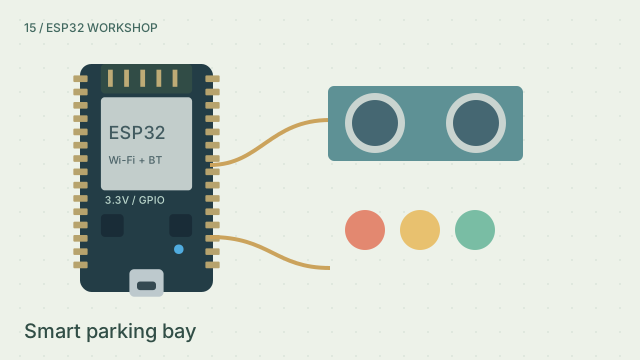
Why it’s here
Move from clear to caution to stop; check the phone occupancy status.
How it works
Combine ranging, traffic lights and a Wi-Fi occupancy page. 15 cm selects red; 30 cm selects amber. Above 30 cm is green and the bay is free. This guided model targets the original ESP32 and Arduino-ESP32 3.x; radio, acoustics, loads and mechanics are simplified.
Try it
- Open this experiment
- Move from clear to caution to stop; check the phone occupancy status.
Connections
- GPIO 5 / 19 — TRIG / ECHO
- GPIO 25 / 26 / 27 — Red / amber / green through resistors
- Wi-Fi — HTTP parking status
Example sketch
#include <WiFi.h>
#include <WebServer.h>
WebServer server(80);
bool lightOn = false;
float distanceCm = -1;

void setup() {
  pinMode(5, OUTPUT); pinMode(19, INPUT);
  for (int pin : {25, 26, 27}) pinMode(pin, OUTPUT);
  WiFi.begin("YOUR_SSID", "YOUR_PASSWORD");
  while (WiFi.status() != WL_CONNECTED) delay(250);
  server.on("/", []() { server.send(200, "text/plain", distanceCm < 0 ? "UNKNOWN" : distanceCm <= 30 ? "TAKEN" : "FREE"); });
  server.begin();
}

void loop() {
  digitalWrite(5, LOW); delayMicroseconds(2);
  digitalWrite(5, HIGH); delayMicroseconds(10);
  digitalWrite(5, LOW);
  unsigned long echo = pulseIn(19, HIGH, 30000);
  float cm = echo ? echo / 58.0f : -1;
  distanceCm = cm;
  digitalWrite(25, cm >= 0 && cm <= 15);
  digitalWrite(26, cm > 15 && cm <= 30);
  digitalWrite(27, cm > 30);
  server.handleClient(); delay(50);
}
Check your understanding
What happens exactly at 15 cm and 30 cm?
Show the answer
15 cm selects red; 30 cm selects amber. Above 30 cm is green and the bay is free.