01 / 16
Uno Board: Pins, Power & GND
Find USB, power pins, GND and D13 on the Uno model. Learn which connections carry power and which carry a signal before opening your first circuit.
Run this experiment →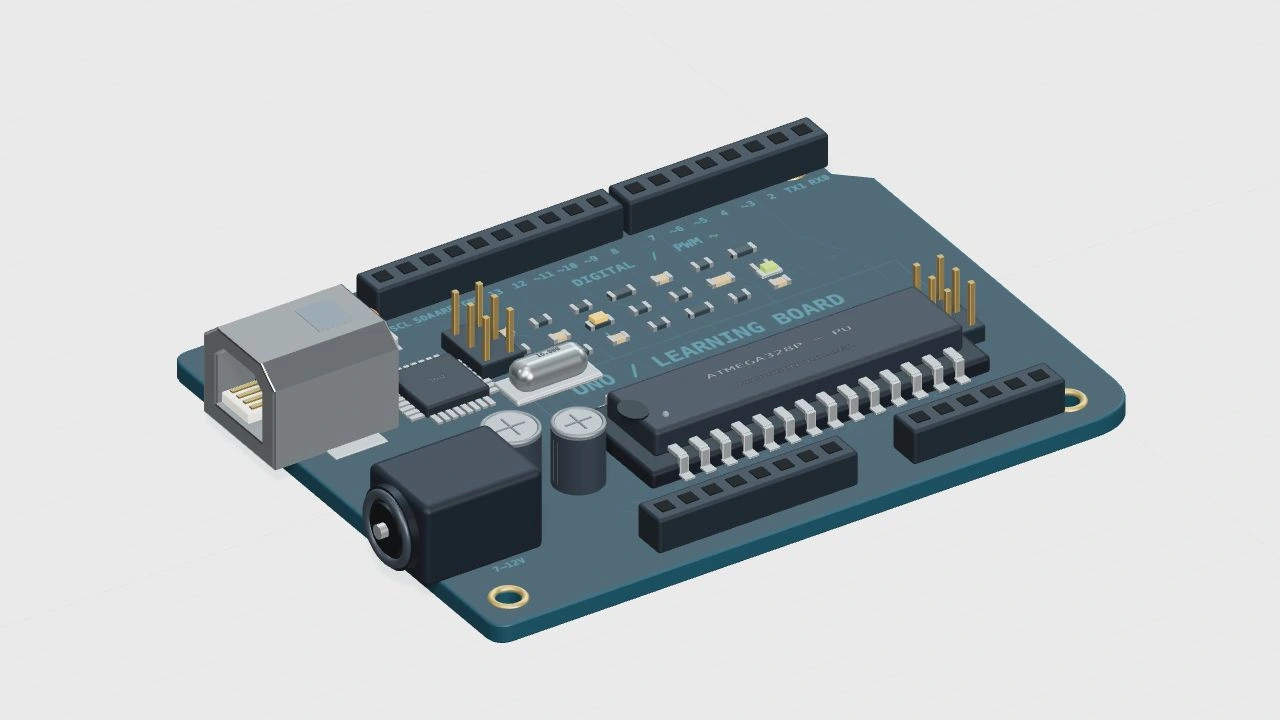
Why it’s here
Identify power, ground and the controller.
How it works
A program changes the controller’s output pins. Power and ground give every signal a reference. The model highlights a built-in indicator; its shape is an original teaching illustration, not a manufacturer CAD model.
Try it
- Open this experiment
- Find D13 on the model, then locate GND. Run the example and compare the built-in LED with the D13 state.
Connections
- USB — Power / programming
- GND — Shared reference
- D13 — Built-in indicator
Example sketch
void setup() {
  pinMode(LED_BUILTIN, OUTPUT);
}

void loop() {
  digitalWrite(LED_BUILTIN, HIGH);
}
Check your understanding
Can GND be replaced by an unused digital pin?
Show the answer
No. GND is the circuit reference and return connection. A digital pin is a controlled input or output, not a substitute for ground.