Gacha Message Vercel app turns a few short notes into capsule reveals. Start with a tiny set of encouragements, inspect the preview, and decide whether the opening ritual suits your recipient.
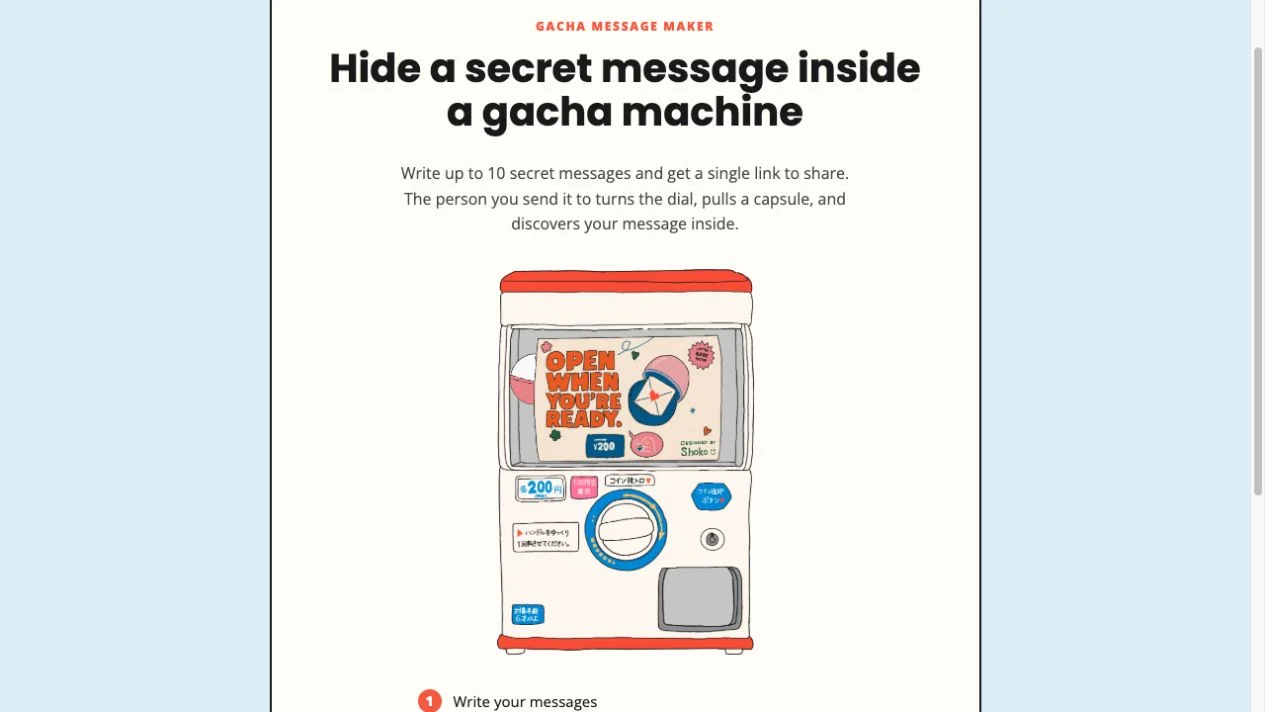
Original Gacha Message homepage, captured October 18, 2026. The machine artwork belongs to the application.
THE SELECTION NOTE
Why it’s here
Selected for a specific gift-making task: give several small thoughts an opening ritual without needing photos, recordings or a long letter. The preview lets you assess that interaction before committing to a share link.
Who it fits
People choosing a playful way to give a few personal encouragements or thank-you notes.
A task to try: Preview a three-note encouragement machine
Write three short notes separately, each understandable on its own.
Open Make your own gacha and replace the sample title and messages.
Keep the collection small enough that each note feels deliberate.
Select Preview, turn the handle and wait for Open capsule.
Read the revealed message and return with Back to proofread the others.
Before a real gift, check the current sharing options and keep your original text.
Where to be careful
We tested only the default-message preview. Shared-link delivery, recipient-device compatibility, editing after sharing, deletion and private access were not verified.
Gacha Message Vercel app: choose the right notes for a capsule gift
A good digital gift does not need much content, but it needs a reason for its format. Gacha Message works best when several little thoughts are worth discovering separately. This NavSprout guide starts with that decision, then explains the editor and the opening interaction we actually inspected.
What we checked
Checked October 18, 2026: inspected the homepage and editor with three default messages, entered Preview, turned the handle and opened a capsule displaying a default message. Returned to editing. We did not copy or send a share link, test a recipient device, test long-term availability or audit privacy. The 10-message ceiling is stated on the homepage and the 320 counter is visible in the editor.
Find the Gacha Message Vercel app
Use https://gacha-message.vercel.app/ for the project covered here. Gacha Message is its displayed name, and the homepage credits @shoko.oym. It is a message maker with a capsule-machine presentation: write notes, preview the machine and use a link-sharing control when ready. The name describes an opening mechanic rather than a game-currency shop. NavSprout is an independent directory and does not make or operate this application.
Decide whether several little reveals help
Choose this format for a set of encouragements, a few specific thank-yous or a handful of memories. Each note should mean something by itself. If the recipient needs to read a long story in order, a letter is likely easier to follow than several capsules. If the gesture depends on a photograph or song, use a tool whose inspected workflow includes that medium.
The machine offers a pause between receiving the gift and reading the words. That can add delight for someone who enjoys playful interfaces. It can also add friction for someone who simply wants the message. Make the choice around that person, rather than adding interaction just because it is available.
Draft a small set before opening the editor
Three thoughtful notes are a useful starting point, even though the homepage advertises up to 10. Give each note one job: recall a moment, name something you appreciate or suggest something to look forward to. Avoid splitting a sentence across capsules. The inspected editor shows a 320-character counter for each message, which encourages a short, complete thought.
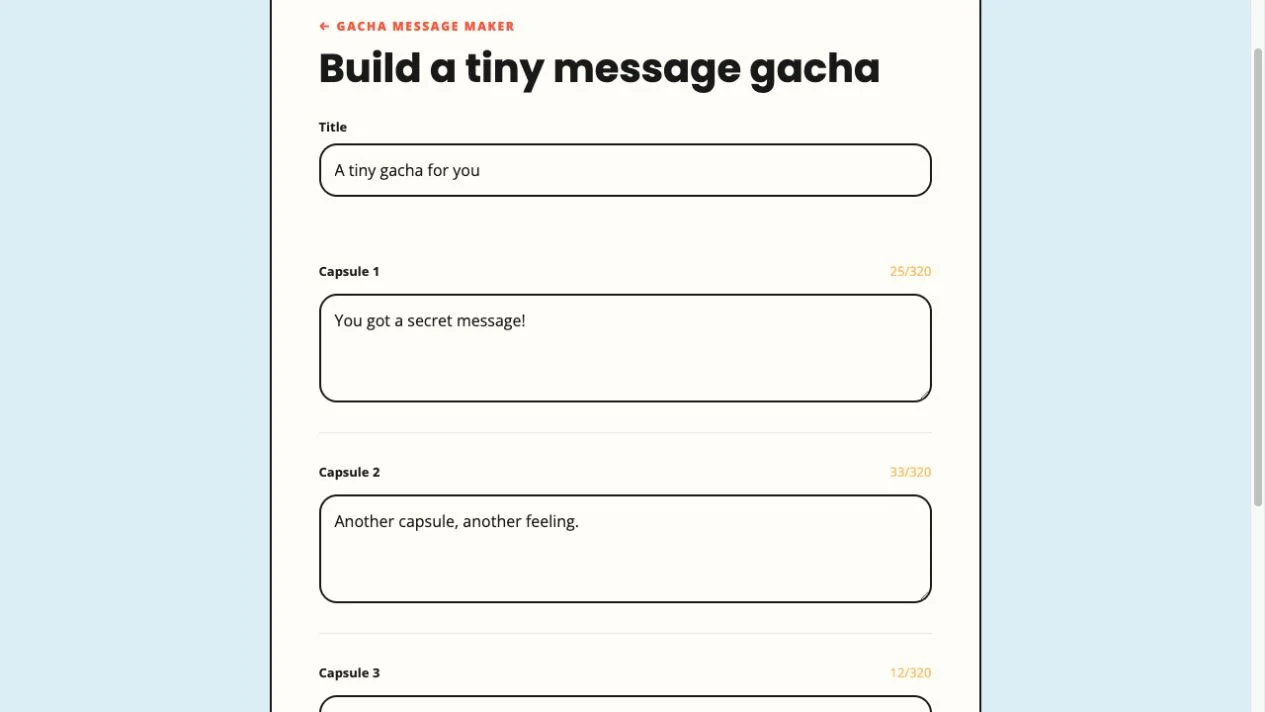
The editor starts with a title and three default messages. Replace the examples before making a real gift. Keep an original copy in your own notes so a refresh or a future change to the project does not become the only record of your wording. We did not test draft recovery.
The original editor with its default messages, captured October 18, 2026.
Use the reveal as a practical fit test
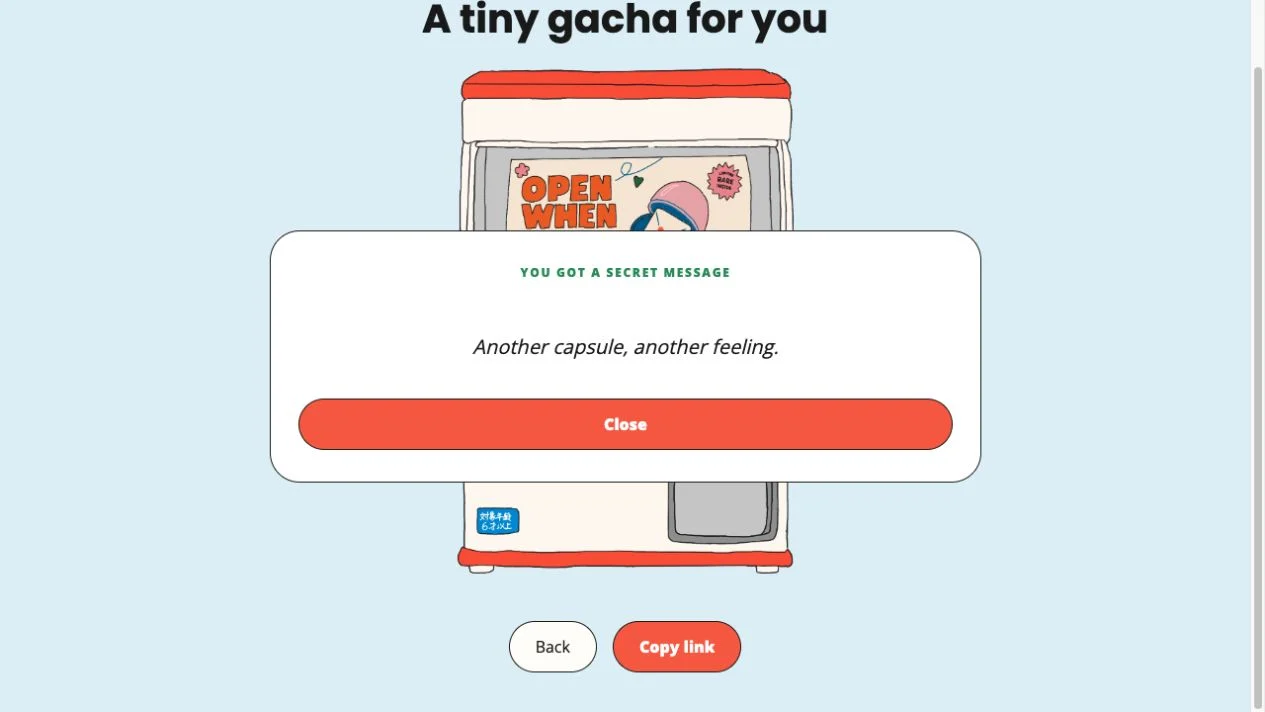
We selected Preview using the application’s default notes, turned the handle and waited for a capsule to arrive. Open capsule then revealed “Another capsule, another feeling.” in a modal. We closed it and returned to the editor with Back. That confirms the preview we saw, rather than a delivery test to another person.
During a trial, check whether the title sets the right tone and whether a revealed note makes sense on its own. Let the animation finish before looking for the next action. We did not measure randomness, repeat behavior or performance on different devices. Copy link was visible, but we did not use it or send a message.
A default note revealed in our October 18, 2026 preview check; no recipient link was created.
Set expectations before a real gift
The homepage describes link sharing and its metadata says no account is needed. No login or payment gate appeared in the setup and preview we checked. That does not establish permanent hosting, a complete pricing policy or access restrictions. We did not verify what happens when a recipient opens a shared machine, whether a link can be revoked, or whether edits affect an already shared version.
Use a light message you are comfortable sending by link. “Secret message” is the theme of the reveal, not proof of secure messaging. A forwarded URL may travel beyond the person you first send it to. If privacy, deletion or durable access is essential, choose a communication channel with documented controls instead.
Compare the kind of gesture, not just the feature list
Canned Letter centers on one illustrated can and a longer note, making it a closer fit for a continuous letter. Bloomify puts the sender’s flower arrangement and a visual bouquet at the center. Gacha Message is the clearer fit when several independent pieces of text are the gift. Those are different creative tasks, even though all can feel like a personal digital present.
For an occasion that matters, preview the chosen format early enough to change your mind. Preserve the words separately and have a straightforward way to send them if a recipient cannot use the interaction. The gift should carry the message rather than make the recipient troubleshoot a web app.
The project reviewed here is at https://gacha-message.vercel.app/ and is called Gacha Message.
What is a good first task?
Prepare three short encouragements that each make sense alone, then inspect the capsule reveal in Preview before considering a shared gift.
How many notes does it allow?
The homepage advertises up to 10 messages. Each inspected capsule editor shows a /320 character counter.
Does the recipient need a game account?
The checked interface is a personal-message maker, not a game-account service. No account prompt appeared in our editor and preview check; recipient access was not tested.
Did NavSprout send a test gift?
No. We revealed a default note in Preview and returned to editing. We did not copy or send a share link.
Can I rely on it as a permanent archive?
We did not verify retention, link expiration, deletion or long-term hosting. Keep your original messages elsewhere.
Sources & editorial method
Written by NavSprout Editorial. Published and checked . We use primary project pages and distinguish interface observations from features we have not tested. External websites can change after this check.
Canned Letter Vercel app offers a deliberately small creative task: put a message into an illustrated can and preview how that gift arrives. NavSprout selects it for the connection between composition and recipient experience. Before using it for a real occasion, try a non-sensitive note and decide whether the time-based presentation suits the person receiving it.
WHY HEREPreview a note before committing to a time-sensitive digital gift.