TLS 1.3 Handshake Explained: Key Exchange, Certificates & Encrypted Records
HTTPS protects web traffic by wrapping HTTP inside Transport Layer Security (TLS). Before a single encrypted GET request leaves your browser, client and server complete a cryptographic handshake that proves the server’s identity and derives shared session keys without ever sending those keys in plain text.
Explore Protocol Explorer & its website →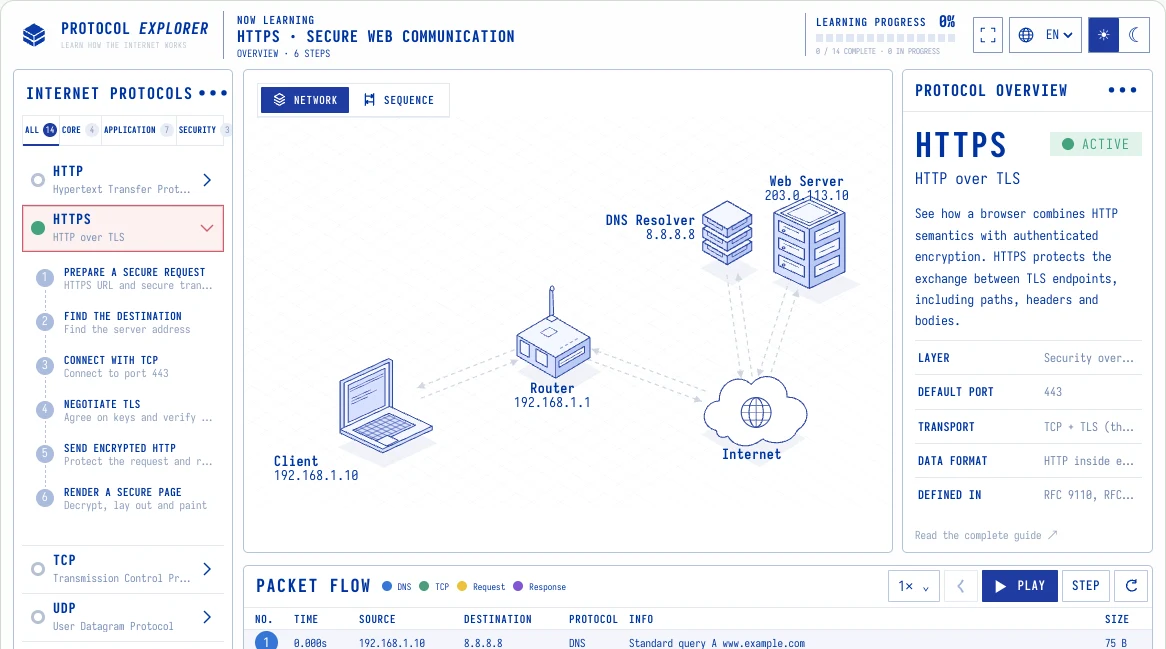
Message flow follows RFC 8446 (TLS 1.3) and maps directly to the interactive TLS and HTTPS lessons in NavSprout’s Protocol Explorer.
How TLS 1.3 establishes encryption in one round trip
Earlier TLS 1.2 required two full network round trips before encrypted application data could flow. TLS 1.3 trims that to a single round trip (1-RTT) by sending the client’s Diffie-Hellman key share right inside the very first ClientHello message and encrypting server certificates immediately after ServerHello.
| Handshake step | Direction | What it accomplishes |
|---|---|---|
| ClientHello + key_share | Client → Server | Proposes TLS 1.3 cipher suites, SNI hostname, and ephemeral public key |
| ServerHello + key_share | Server → Client | Selects cipher suite and sends server ephemeral key; both sides derive handshake keys |
| EncryptedExtensions + Certificate + Finished | Server → Client | Proves domain ownership via CA-signed cert chain and authenticates the transcript |
| Client Finished + Encrypted HTTP | Client → Server | Confirms handshake integrity and immediately sends encrypted HTTP request |
Why certificates and key exchange are separate jobs
A common misconception is that the server’s TLS certificate encrypts your web traffic directly. In TLS 1.3, encryption keys come from ephemeral Elliptic-Curve Diffie-Hellman (ECDHE / X25519) key agreement that is freshly generated per session and discarded afterward. The certificate’s job is authentication: proving that the ephemeral key actually came from the legitimate domain owner rather than an active attacker on your Wi-Fi network.
Because ephemeral keys are never reused, even if a server’s private certificate key were compromised years later, previously recorded traffic cannot be decrypted—a property called Perfect Forward Secrecy.
Step through a TLS 1.3 trace in Protocol Explorer
- Open the TLS lesson in Protocol Explorer and advance to ClientHello to inspect the supported cipher suites and key share.
- Advance to ServerHello and note the exact moment the channel switches from plaintext handshake headers to encrypted handshake records.
- Open the HTTPS lesson to see how DNS, TCP, TLS, and encrypted HTTP stack together on a fresh page load.
Common questions
Does TLS 1.3 hide the domain name I am visiting?
By default, the Server Name Indication (SNI) field in ClientHello is sent in plaintext so shared servers know which certificate to present. Encrypted Client Hello (ECH) is an emerging extension designed to encrypt SNI.
What happens if a website’s certificate is expired or mismatched?
The browser aborts the handshake before sending any HTTP request, preventing credentials or cookies from being transmitted to an unverified host.
Why did TLS 1.3 remove RSA key transport?
Static RSA key transport did not provide forward secrecy and had a history of subtle padding-oracle vulnerabilities; mandating ephemeral Diffie-Hellman simplified and hardened the protocol.
Sources & editorial method
Written by NavSprout Editorial. Published and checked .
- IETF RFC 8446 — The Transport Layer Security (TLS) Protocol Version 1.3 ↗
- NavSprout Protocol Explorer — TLS Lesson ↗