How DNS Resolution Works: Recursive Resolvers, Root & Authoritative Servers
Before your browser can open a TCP connection to a website, it has to translate a human-readable hostname into an IP address. That lookup usually takes only a few milliseconds, yet a cold cache miss coordinates four distinct layers of the Domain Name System.
Explore Protocol Explorer & its website →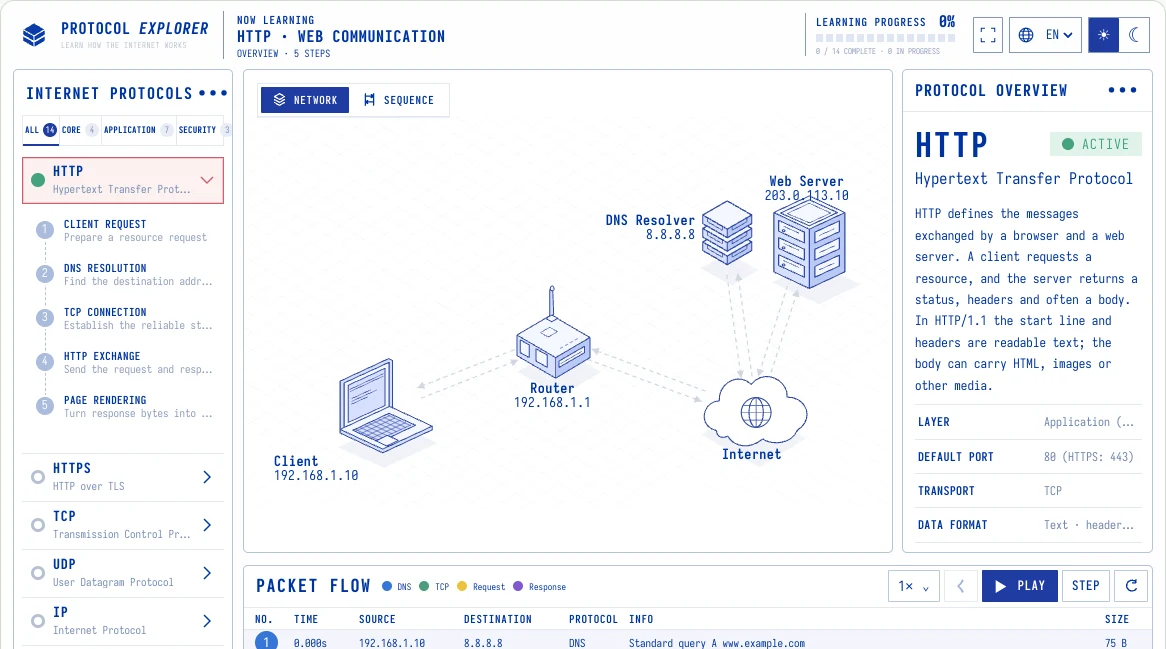
Walkthrough follows standard DNS hierarchy (RFC 1034 / RFC 1035) and pairs with the animated DNS trace in NavSprout’s Protocol Explorer.
The four stages of a cold DNS lookup
Your laptop does not query the entire internet directly. Its stub resolver hands a single recursive query to a configured recursive resolver (operated by your ISP, corporate network, or a public service). If the recursive resolver does not already have a fresh cached answer, it walks the DNS tree iteratively from top to bottom.
| Server role | What it knows | What it returns |
|---|---|---|
| Recursive resolver | Cached recent lookups + root hints | Final IP answer back to your device |
| Root nameserver (.) | Where every TLD (.com, .org, .io) lives | Referral to the appropriate TLD nameserver |
| TLD nameserver (.com) | Which authoritative servers own each domain | Referral to the domain’s authoritative NS |
| Authoritative nameserver | Actual DNS records for the domain | Final A / AAAA / CNAME record + TTL |
Why TTL controls both speed and migration delays
Every DNS answer carries a Time To Live (TTL) in seconds. A TTL of 3600 tells recursive resolvers they may reuse that IP address for one hour without querying the authoritative server again. High TTLs cut lookup latency and traffic; low TTLs (such as 60–300 seconds) are used ahead of server migrations so users pick up the new IP quickly.
When debugging a domain change, remember that your operating system, browser, and ISP resolver each maintain separate caches—so seeing the old IP after editing a record usually means a previous TTL has not expired yet.
Watch recursive vs iterative queries in Protocol Explorer
- Open the DNS lesson in Protocol Explorer and play the sequence from the client stub resolver.
- Observe how the client sends only ONE query to the recursive resolver, while the recursive resolver performs the three iterative referrals (Root → TLD → Authoritative).
- Inspect the final response packet to locate the Answer section, record type (A), and TTL field.
Common questions
Does DNS always run over UDP port 53?
Most standard lookups use UDP port 53 for low overhead, but DNS falls back to TCP port 53 for large responses (such as DNSSEC or zone transfers) and can also run encrypted over DoH (HTTPS) or DoT (TLS).
What is the difference between an A record and a CNAME record?
An A record maps a hostname directly to an IPv4 address (AAAA for IPv6). A CNAME points one hostname to another canonical hostname, requiring the resolver to follow the alias to its final address.
Why does my first visit to a new site feel slower than the second?
The first visit may require a cold DNS lookup plus a fresh TCP and TLS handshake; repeat visits often hit local DNS caches and reuse existing connections.
Sources & editorial method
Written by NavSprout Editorial. Published and checked .
- IETF RFC 1035 — Domain Names Implementation and Specification ↗
- NavSprout Protocol Explorer — DNS Lesson ↗