What is dooo0t (Paper Dots)?
If you searched for “dooot page dev” or “doooot page dev”, the linked destination in this guide is doooot.pages.dev. It opens a compact photo-effects workspace titled Paper Dots and branded dooo0t. NavSprout includes it in Design & creative for one bounded task: plan a simple photo-and-dot composition, learn the Chinese controls and judge the result at the size you intend to share.
Why it’s here
A focused visual tool is easiest to evaluate with one photo and one intended output. Decide what the composition should emphasize before changing every slider. The first useful comparison is whether the layout and pattern make the source image easier to enjoy, not whether you can maximize the number of decorative marks.
Find the workspace and translate the essentials
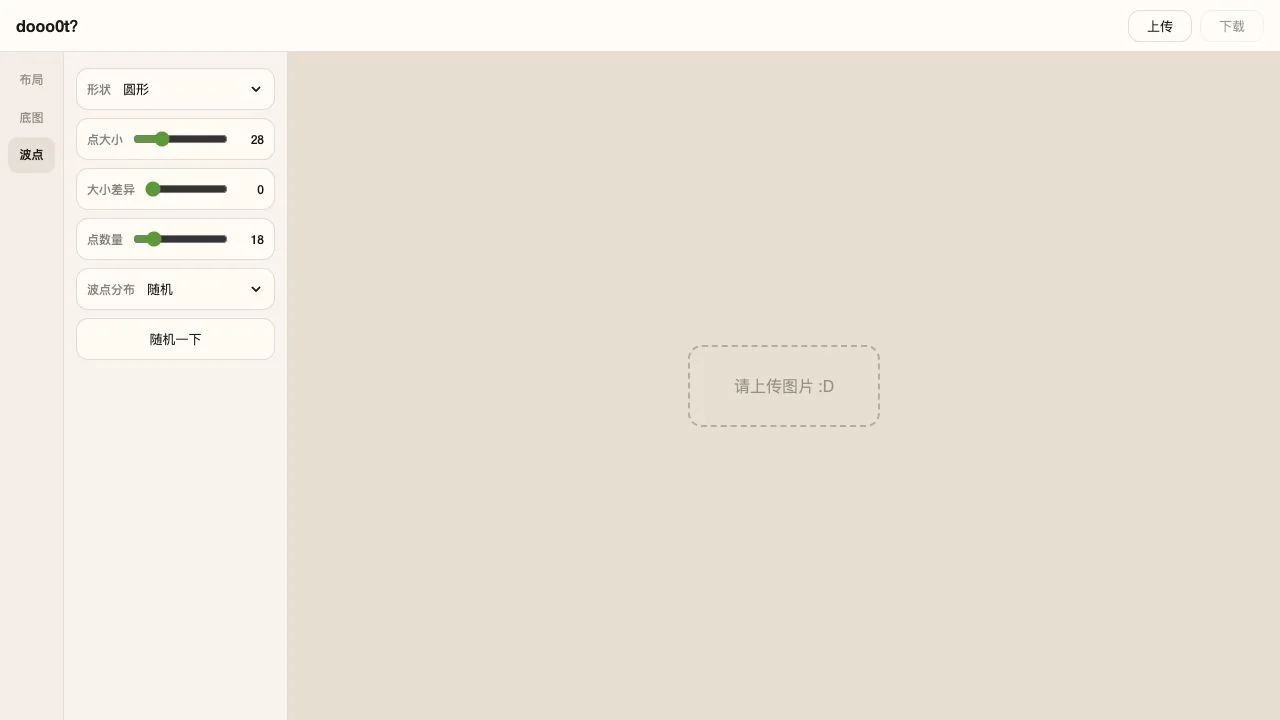
Use the exact address https://doooot.pages.dev/. The shorter search spelling is an alternative way to look for this destination, not a second editor. If the creator’s note is open, use its return link. The three tabs are 布局 for Layout, 底图 for Background and 波点 for Dots. The upper-right controls are 上传 for Upload and 下载 for Download. Our empty workspace displayed an upload prompt and a disabled Download button.
Decide where the main image should sit
Layout offers four main-image positions: left, right, top and bottom. Its proportion slider is a separate choice from dot size. For a suggested first attempt, pick one orientation and keep the composition simple. Consider where the subject sits and how the decorative area will balance it. This is a trial plan; we did not supply a photo or compare finished variants.
Change one dot setting at a time
The visible shape menu includes circles, squares, stars, drops, snowflakes and characters. Size, size variation and count have separate sliders. Start with circles at a modest size, then change only one control to understand its role. The distribution menu separates random placement from two click-based modes, and a randomize button offers another pattern variation. We inspected these options but did not evaluate their effect on a loaded photograph.
Use the background to support the picture
Background can be a solid color, stripes or a photo. Selecting stripes revealed two color selectors and a stripe-width slider during our check. Try a restrained pair of colors before increasing contrast. If a pattern competes with the main subject, simplify the background before adding more dots. Inspect the result at normal viewing size rather than judging it only while enlarged.
Check the file, not just the preview
For any image editor, the exported file is the useful deliverable. After making a permitted edit, inspect the saved image for crop, dimensions, readability and the dot treatment before posting it. We did not test download, file format, watermark behavior, maximum dimensions or output quality. Keep the source image so you can return to it if the first composition is unsuitable.
Know when you have left the web tool
The page links to an iPhone app named dooo0t and advertises additional native features. A browser session and an installed app are separate evaluations: do not assume the native app’s templates, Live Photos or sharing features are implemented on this page. The linked App Store description is useful context, but we did not install that app or test its claims. No photo upload, account flow or image-handling privacy audit was performed.
Read the official source ↗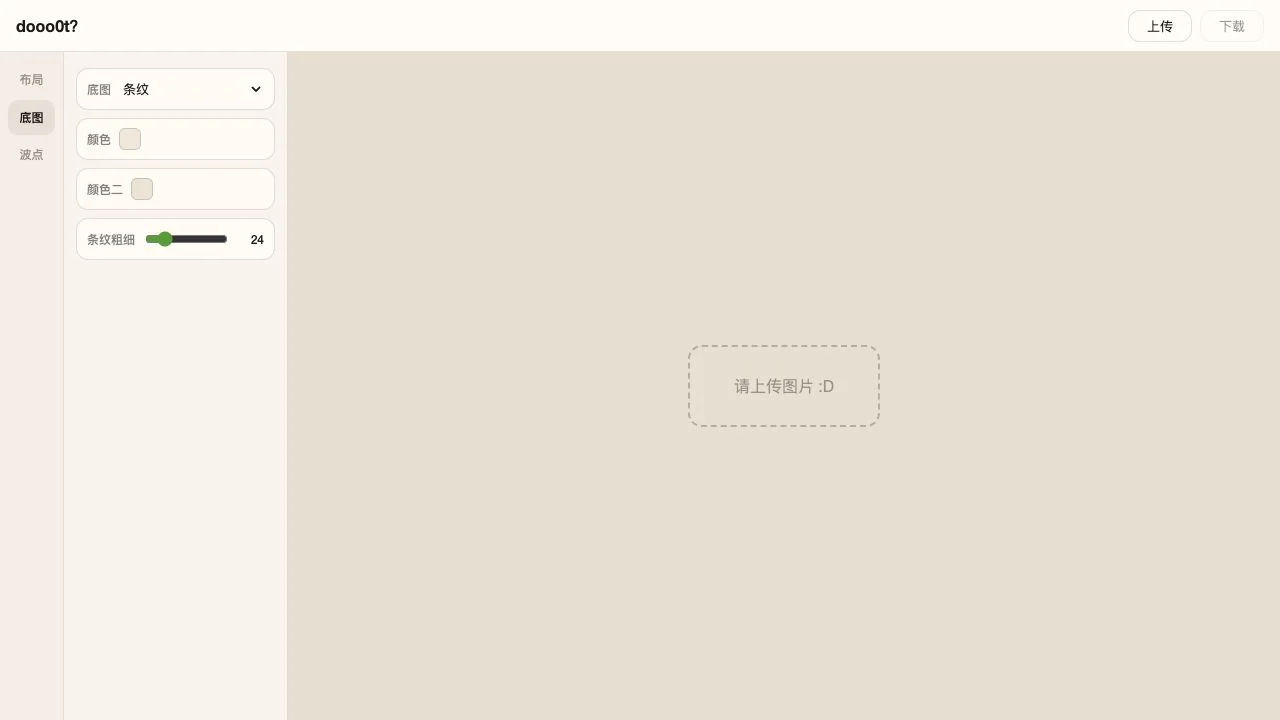
Plan one small composition
- Open doooot.pages.dev and locate Layout, Background and Dots.
- Pick a single image you have permission to edit and a place where the finished visual will be used.
- Choose the main-image orientation before fine-tuning the proportion.
- Try a simple dot shape and change size or count one at a time.
- Compare a quiet background with one stripe option at normal viewing size.
- If you complete an edit, inspect the downloaded file and keep the original separately.
dooo0t (Paper Dots) FAQ
Where do the two page dev search phrases lead?
This guide uses both dooot page dev and doooot page dev to identify the workspace at https://doooot.pages.dev/. Use the exact linked address rather than guessing a shortened domain.
Is Paper Dots the same as dooo0t?
Paper Dots is the document title of the inspected web workspace. Its visible wordmark is styled dooo0t, and it links to a native app with that name.
What is a useful first edit?
Plan one photo with a simple orientation, a quiet background and a small number of dots. This is a suggested exercise, not a tested exported example.
Can I use it without understanding Chinese?
The main labels can be translated directly: 布局 is Layout, 底图 is Background, 波点 is Dots, 上传 is Upload and 下载 is Download. We did not find or test an English-language web interface.
Was an image uploaded for this review?
No. We inspected the empty workspace, tab controls and stripe-background settings. The screenshots record that interface; they are not finished photo examples.
Is this a replacement for a full photo editor?
Evaluate it for the specific layout and decorative treatment you need. Layered-file editing, retouching, batch work and professional export controls were not verified.
Does it cost money?
The public settings opened without payment or sign-in during our check. We did not complete an image workflow or audit all app and web pricing, so this listing does not promise every feature is free.
Related by purpose
PicCollages arranges photos into grids and freeform layouts. Squoosh is a later compression step once you have an image to publish.
Sources and review scope
- Official Paper Dots browser workspace ↗
- Creator’s about page ↗
- dooo0t iPhone app linked by the website ↗
Reviewed October 24, 2026: empty web workspace, Layout/Background/Dots tabs and stripe controls. No upload, image output, download, native app or image-handling privacy audit was tested. Icon: unchanged artwork from the official iPhone app linked by the website; no usable web favicon was declared.