What is BabyVideo.ai?
BabyVideo.ai is a browser-based AI image and video service. Its main generator accepts one or two parent photos to create an imagined baby portrait, while separate tools offer photo animation, talking, singing and dancing clips. NavSprout includes it in AI & assistants for a narrow creative task: making a playful portrait or short visual, with clear photo permissions and a credit budget.
Why it’s here
The useful starting point is one small creative output, rather than a prediction about a real child. Compare the public examples with the style you want, understand the generation cost, and decide whether uploading the permitted photos is appropriate before starting.
Choose a portrait or a video task
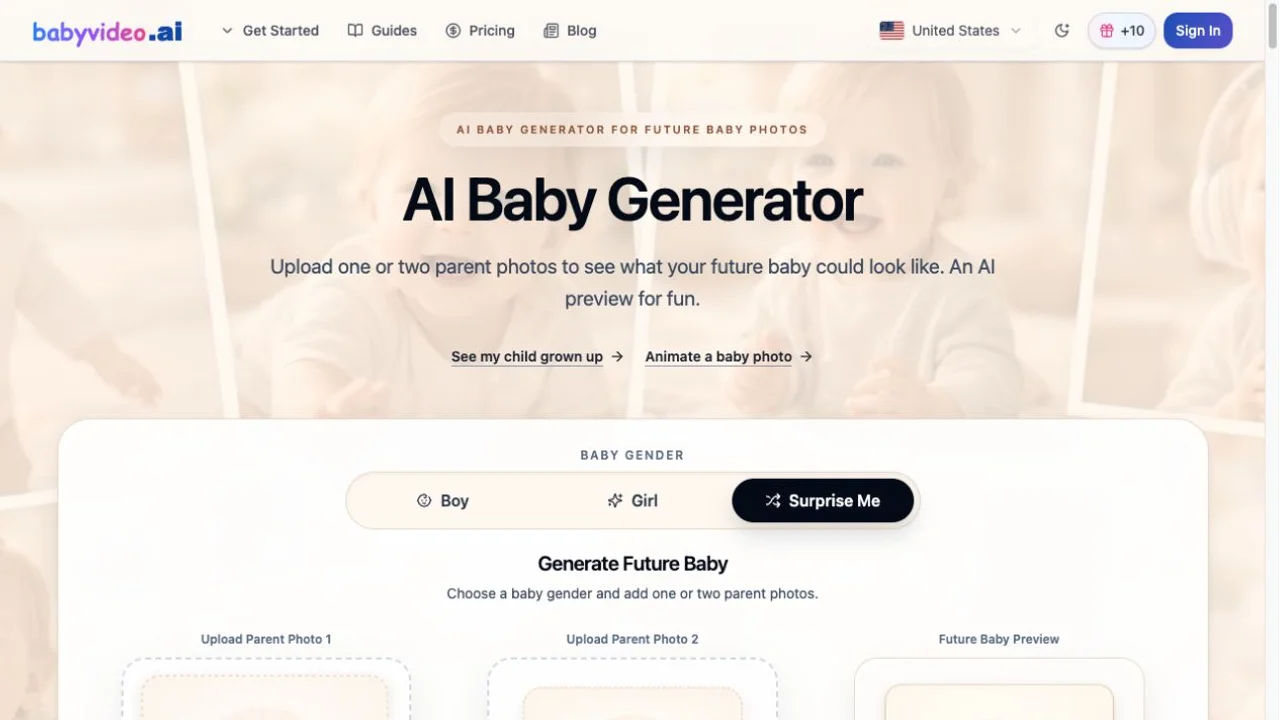
The public homepage offers Boy, Girl and Surprise Me options and one or two parent-photo inputs. It displayed a cost of 2 credits per portrait image during our review. Animation, talking, singing and dancing are separate workflows; their models, settings and credit costs can differ. Check the cost shown for the specific generation rather than assuming every output uses the portrait rate.
Free credits require Daily Check-in
Signing up or signing in alone gives no credits. The published offer awards 10 credits per daily check-in, limited to 30 check-ins per account, with an extra 20 credits for each seven-day consecutive streak. Free credits expire three days after award. This is a limited promotional allowance rather than unlimited free generation. Paid packs and subscription plans are separate; confirm current terms and generation costs before purchasing.
Read the official source ↗Creative resemblance is not a genetic forecast
The generated portrait is an imaginative variation based on visible photo details. It does not establish genetics, ancestry, health, parentage or what a future child will actually look like. Boy and Girl choices are creative output settings, not biological predictions. Use the result as entertainment and label a shared image or clip as AI-generated.
Photo permissions and processing
Use only photos you own or have permission to upload. The privacy policy describes processing through external AI partners, so this should not be treated as an entirely on-device editor. Its retention wording is inconsistent: the detailed section says original uploads are not retained by its servers, while a summary lists seven-day upload retention. Generated outputs are described as retained for seven days. Ask the operator to clarify retention if that affects your decision; we did not verify deletion or partner handling.
Read the official source ↗What we actually checked
We inspected the public generator interface, pricing information and privacy policy without signing in. The screenshot shows the official homepage and its empty input controls. We did not upload personal photos, claim credits, purchase a plan or generate an image or video. Output quality, turnaround time and paid-plan performance remain untested.
Plan one creative output
- Choose one output: an imagined portrait or a short animated clip.
- Inspect the public examples and confirm permission for every photo you intend to use.
- Read the current photo-processing policy and credit cost for that workflow.
- If using the free allowance, sign in and claim Daily Check-in; registration alone awards nothing.
- Check the credit expiry and cost before confirming a generation.
- Inspect the result before sharing, and identify it as an AI-created entertainment image or clip.
BabyVideo.ai FAQ
What does BabyVideo.ai do?
It creates imagined baby portraits from one or two parent photos and offers separate baby photo animation, talking, singing and dancing workflows.
Does signing up give free credits?
No. The published offer requires Daily Check-in: 10 credits per day for up to 30 check-ins, with a 20-credit bonus for a seven-day consecutive streak. Free credits expire three days after award.
Is BabyVideo.ai a real baby predictor?
No. Its results are creative entertainment, not medical, genetic or scientific predictions about a real child.
Are all images and videos the same credit price?
No. The homepage displayed 2 credits per portrait image during review. Other models, video tools and settings can have different costs; confirm the displayed cost before generation.
Are uploads processed only on my device?
The privacy policy describes AI processing partners. Its retention sections are inconsistent, so do not assume local-only processing or a verified deletion guarantee.
Did NavSprout test a generated result?
No. This review covers public pages and controls. No photos were uploaded and no account, credit claim, purchase or generation was tested.
Related by purpose
PicCollages arranges existing photos into layouts when your task is composition rather than AI generation.
Sources and review scope
- Official generator and feature overview ↗
- Pricing and Daily Check-in conditions ↗
- Photo processing and retention policy ↗
Reviewed October 23, 2026 using the public homepage, pricing page and privacy policy. No sign-in, photo upload, credit claim, purchase or generation was tested.