
What is City Roads — Anvaka?
If you searched “anvaka github io city roads”, the linked tool is City Roads at anvaka.github.io/city-roads. It draws the roads of a selected area with a spare, poster-like appearance. NavSprout places it in Design & creative for a small visual task: choose a city, judge the network’s composition and prepare a map that stays readable at its intended display size.
Why it’s here
Removing most map detail changes what you notice: grids, radial streets, dense centers and gaps become the visual subject. A useful first session is not to collect every possible road, but to find a coherent extent, a readable line treatment and an output format suited to one small project.
Choose an extent you can explain
Search a city with its country or region, then use Find City Bounds. Do not select an entry solely because its name appears familiar: different results can describe overlapping areas. For a visual comparison, keep the intended scale and boundary choice consistent. A compact city map and a much wider metropolitan area can produce very different density and composition.
Our first map: Paris
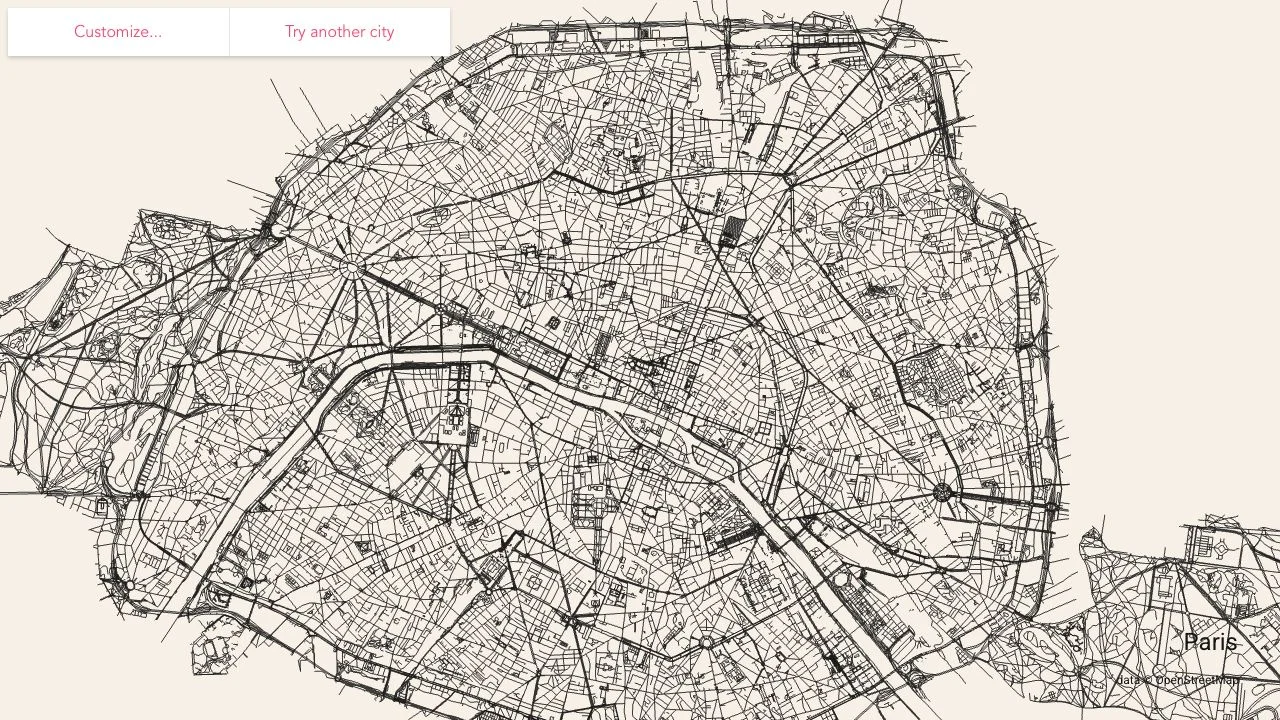
We searched Paris, France and selected one administrative result. After the cache-loading step, the tool drew Paris as a dark road network on a light background, with a city label and OpenStreetMap credit. The Customize panel then showed line, background and label colors as well as PNG and SVG export links. This establishes the search-to-render and settings flow, not output-file quality or a complete survey of Paris.
Evaluate the pattern before polishing it
Look at how the road density distributes across the frame. Decide whether you want an overview, a detail crop or a comparison with another place. Dense roads can merge visually when a picture is reduced, so judge the composition at the size where it will be seen. Keep enough context for the shape to remain recognizable rather than relying on the city label alone.
Use contrast deliberately
The controls separate the road-line color from the background and label colors. Start with a simple high-contrast combination, then check whether the label remains readable and the densest network areas retain texture. If your intended background changes, inspect the attribution as well as the main lines. We opened these controls but did not benchmark every color choice or display mode.
Plan the export around its destination
The visible PNG option describes a raster capture of the current screen. The SVG option describes vector output of the current screen. Choose according to where you will use the map, then reopen the saved file in that destination and inspect line detail, labels and attribution. Do not assume that vector output removes all browser limits or automatically produces a print-ready poster. We did not complete an export or test printing.
Keep the first experiment small
The application warns about large transfers and powerful-device requirements for big areas. The README also describes Overpass rate limits and browser/video-memory constraints. If a selection is slow, avoid repeatedly launching broad requests; try a smaller city-sized area and let it finish. Read the official data and license information before distributing an adapted map. This creative workflow does not establish navigation accuracy or live traffic support.
Read the official source ↗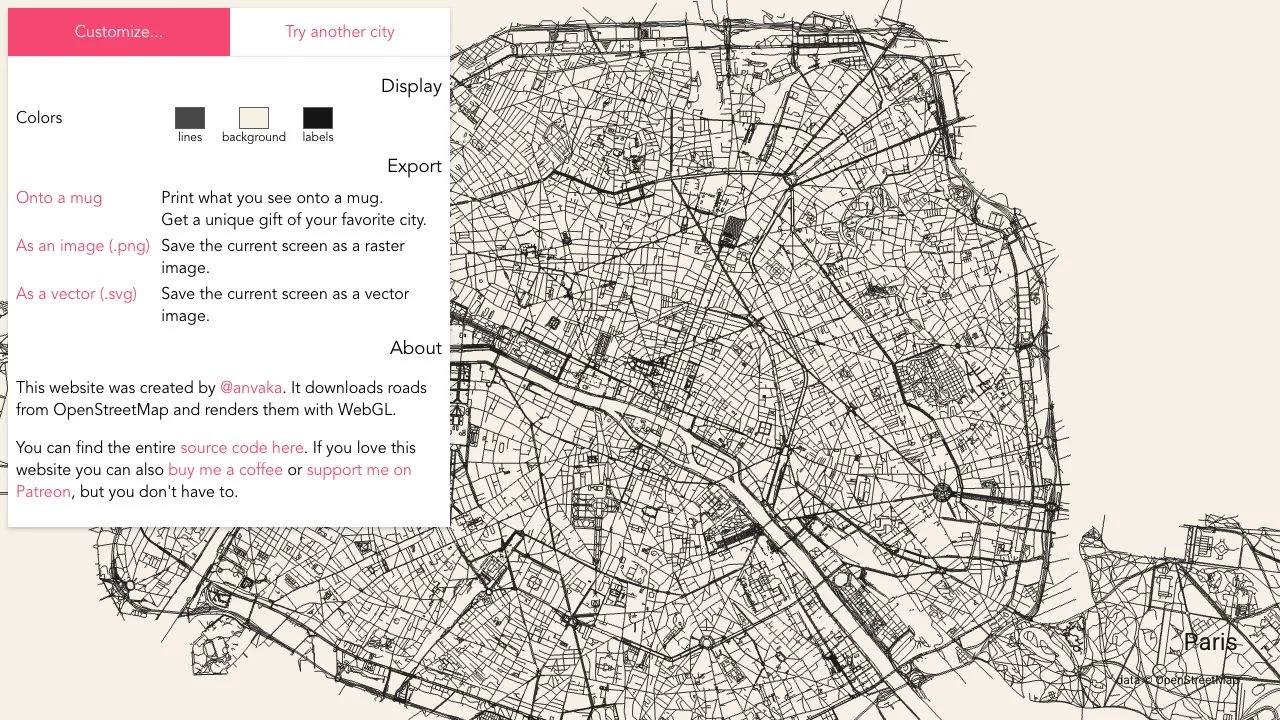
Make one minimal city map
- Choose one intended output, such as a small city-network image for a personal design study.
- Search a city and inspect the boundary results before selecting one.
- Wait for the roads to load, then judge the framing and density at normal viewing size.
- Open Customize and inspect the line, background and label controls.
- Choose PNG or SVG for the program where you will use the map.
- Inspect the saved file and keep the OpenStreetMap attribution visible.
City Roads — Anvaka FAQ
Where is Anvaka’s City Roads app?
The official destination is https://anvaka.github.io/city-roads/. This guide covers that project rather than an unrelated road game or route-planning service.
What is a useful first task?
Create one readable city-road composition and choose an intended output size before experimenting with many cities or colors.
Did NavSprout actually load a city?
Yes. We searched Paris, France, selected an administrative boundary and inspected the rendered map and Customize panel on October 25, 2026.
Do I need an account or subscription?
We completed the inspected search, map load and settings inspection without an account or payment. Optional donation and merchandise features were not used.
Which format should I try?
The tool offers a current-screen PNG raster image or SVG vector image. Test the saved output in your intended editor or display context; export and print quality were not verified here.
Does City Roads include every road accurately?
The visual depends on the selected geographic boundary, available OpenStreetMap data and the loading process. Do not treat it as a road-completeness guarantee.
Why can a large area fail?
The official project documents data-service delays and hardware/browser memory constraints. A smaller boundary is a more manageable first trial than a region containing millions of roads.
Related by purpose
Notable People Map explores a different geographic dataset. Squoosh can help inspect raster compression after an image is exported.
Sources and review scope
- Official City Roads application ↗
- Project README: data, cache and performance limits ↗
- Source implementation of customization and export ↗
- OpenStreetMap attribution and data information ↗
Reviewed October 25, 2026: Paris search, boundary selection, road rendering, Customize panel and official project documentation. Exported files, printing, very large areas and mobile performance were not tested.