BROWSER GAME DISCOVERY · ONE SHORT DRIVE

Hey Auto Vercel App: Play Link & Driving Guide
Searching hey auto vercel app leads to Hey Auto — ഹേ ഓട്ടോ, an auto-rickshaw driving game set in Kochi, Kerala. You play a driver looking for passengers and navigating the town. The Vercel page currently has a loading problem, but the creator-linked Cloudflare address ran in our browser. Here is how to get to the game and make a manageable first drive.
Why it’s here
Hey Auto makes a familiar journey into a small driving task: start a shift, learn the controls and look for a passenger. NavSprout includes it for the local setting and an approachable first-session goal. Because the requested Vercel address failed to load its game assets, finding a working entrance is part of this guide.
What is Hey Auto?
The game describes an auto driver’s working day in Kochi. Its opening instructions ask you to collect passengers at a yellow beam and drop them at a green one, stopping beside them to board. A meter, daily earnings target and traffic rules give the drive a purpose beyond simply moving around.
The meter rates and rupee amounts belong to the simulation. They are not a real-world taxi quote or earnings promise. We inspected the instructions and received a passenger request, but did not finish a fare.
Make your first session a short drive
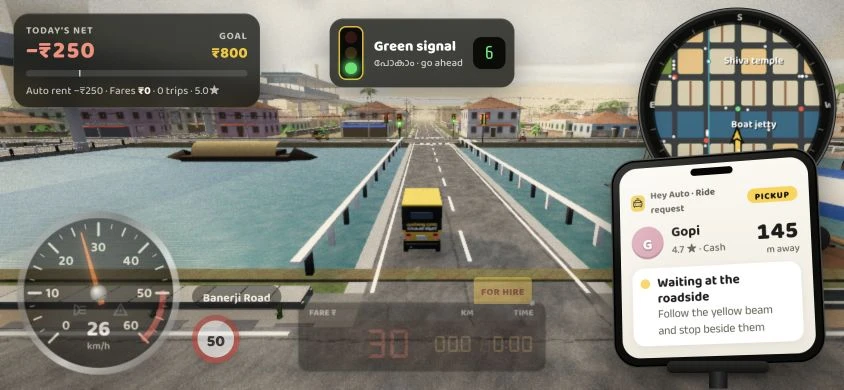
Start with a simple objective: load the town, begin a shift, move a short distance and learn to stop. In our check, Start shift opened the driving scene, W accelerated the auto and C changed the camera view. The dashboard and minimap made it possible to see that the game was actually running.
An incoming request named a passenger, showed a distance and directed us toward a yellow beam. Learn what that request looks like before trying to optimize earnings or use narrow shortcuts. You do not need to join a multiplayer room to begin the single-player session.
Playing on a phone, or with a keyboard
The published mobile controls use left/right steering buttons, GAS and BRAKE pedals and a pause button for additional settings. A portrait-screen notice asks players to turn their phone sideways. Use landscape orientation when trying the game on a phone.
The app also documents W/S and A/D driving, Space for the hand brake and C for the camera. We tested keyboard driving at a phone-sized landscape browser viewport. That confirms the game is not described as mobile-only, but does not establish performance or touch responsiveness on every handset.
Kochi details, weather and dialogue
The visible game combines a road scene, an auto meter, a phone-style passenger panel, local road labels and Malayalam dialogue with transliteration and English. Those details make the setting part of the experience rather than a generic driving backdrop.
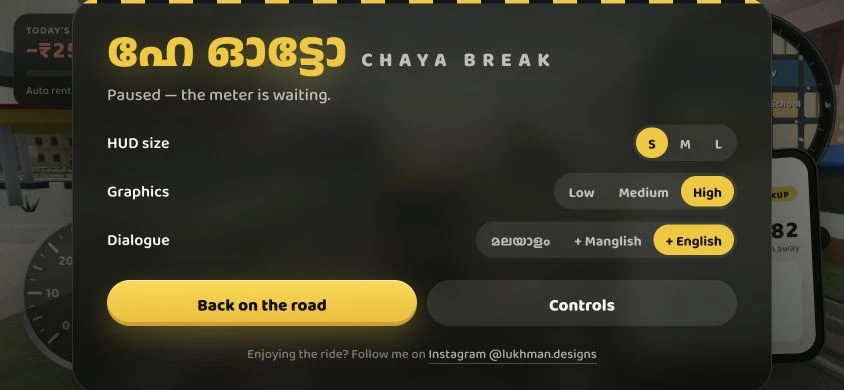
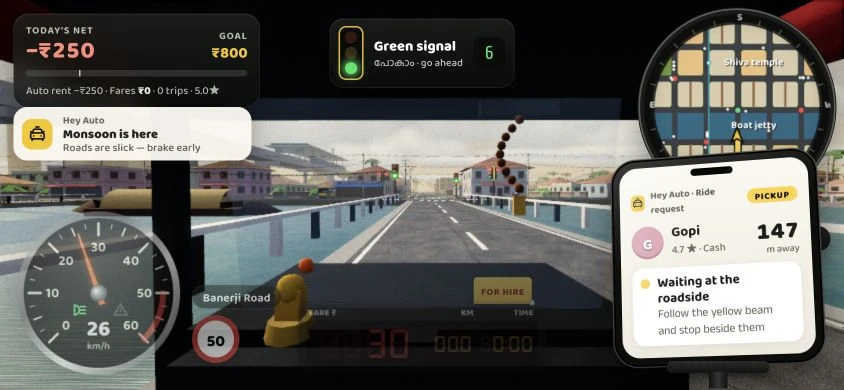
We tested the monsoon control and saw the game announce rain. The pause screen includes Malayalam, Manglish and English dialogue options, graphics quality and HUD size. We changed HUD size to S; the complete range of settings was not tested.
If Hey Auto stays on Loading town
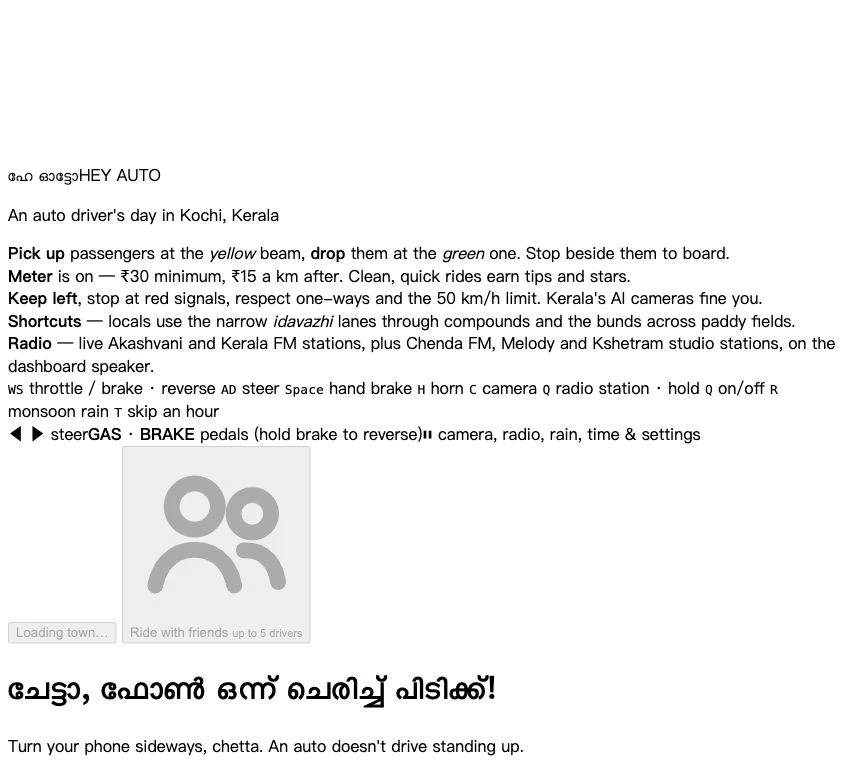
At the requested Vercel URL, the page text opened while the referenced game script and stylesheet returned 404. Rotating a phone cannot repair a missing server resource. Try the creator-linked play address provided above and let its town finish loading.
The working address was found through the Instagram profile linked by the game itself. We preserve both addresses so you can recognize the search result and choose a verified destination. Availability may change after the creator updates either deployment.
How to start your first Hey Auto session
- Open the creator-linked play address, hey-auto.pages.dev/heyauto/.
- If using a phone, rotate to landscape and wait for Start shift to become available.
- Choose Start shift for a single-player session.
- Use the displayed pedals and steering buttons on mobile, or W/S and A/D with a keyboard.
- Practise stopping and changing camera before following a yellow pickup beam.
- Pause to adjust HUD size or graphics; treat multiplayer as a separate feature to explore.
Hey Auto mobile and keyboard controls
The table summarizes the app’s published help. Keyboard acceleration, camera and rain were tested; touch and gamepad input were not.
| Input or feature | Published control |
|---|---|
| Mobile steering | Left / right buttons shown in the published interface |
| Mobile pedals | GAS to accelerate; BRAKE to brake and reverse |
| Mobile pause | Camera, radio, rain, time and settings |
| Keyboard driving | W / S: throttle, brake and reverse; A / D: steer |
| Keyboard actions | Space: hand brake; H: horn; C: camera |
| Weather and pause | R: monsoon rain; P or Esc: pause |
Real screenshots: running game and Vercel loading state
The running-scene captures below are from the creator-linked Cloudflare deployment, not the broken Vercel resource path. No gameplay images were generated.
See the Vercel loading-failure reference
Hey Auto Vercel app FAQ
What is hey auto vercel app?
It is a search phrase for Hey Auto, a Kochi-set auto-rickshaw driving game at hey-auto.vercel.app. This guide also identifies a working play address published by the game-linked creator profile.
Where can I play it if the Vercel page is stuck?
The game-linked Instagram profile publishes https://hey-auto.pages.dev/heyauto/. We loaded the town and tested single-player driving there on October 26, 2026.
Is Hey Auto only for phones?
No mobile-only restriction was established. The app provides mobile touch controls, a sideways-phone notice and desktop keyboard instructions. We tested keyboard input in a landscape browser viewport.
How do I pick up passengers?
The game instructions say to follow the yellow beam and stop beside the passenger; the green beam marks the drop-off. We saw a pickup request, but did not verify a completed trip.
Why does Loading town never finish?
During our Vercel check, its required script and stylesheet returned 404. That can prevent the town from loading even when the text page is visible. The creator-linked address worked separately.
Can I play with friends?
The interface advertises an Auto stand mode for up to five drivers, with room codes and nearby chat/talk. We did not create or join a room, so multiplayer operation remains unverified.
Did NavSprout test a real phone?
No. We used an 844 × 390 landscape browser viewport and keyboard controls. Phone hardware performance, touch handling and completed fares were not verified.
Sources & review scope
Checked October 26, 2026: the Vercel page and its resource URLs; the game-linked Instagram profile and its published play address; the working Cloudflare title screen; Start shift; acceleration with W; changing camera with C; pause; HUD size S; and monsoon rain with R. Gameplay screenshots were captured from the creator-linked Cloudflare deployment at an 844 × 390 landscape viewport. This was a browser viewport test, not a physical-phone or touch-device test. We did not complete a passenger trip, verify fares and fines end to end, join a multiplayer room, grant microphone access, send chat or verify radio audio playback.
- Requested Vercel entry: title, instructions and declared game assets ↗
- Working creator-linked Hey Auto deployment ↗
- @lukhman.designs: profile linked by the game and its published play address ↗
The rickshaw favicon is copied from the app’s own inline SVG without redrawing it. Gameplay observations are separate from the published fare, traffic-rule and multiplayer descriptions.