Why it’s here
A useful creative session can start with one decision: what should the portrait feel like? The gemini prompt vercel app search leads to PromptVault, a browser library of image-generation prompts. NavSprout selects it as a starting point for people who have a visual idea but struggle to describe lighting, clothing or composition. Choose a category, borrow a structure and turn it into your own brief.
Inside the Gemini Prompt Vercel App
Start with the result you want
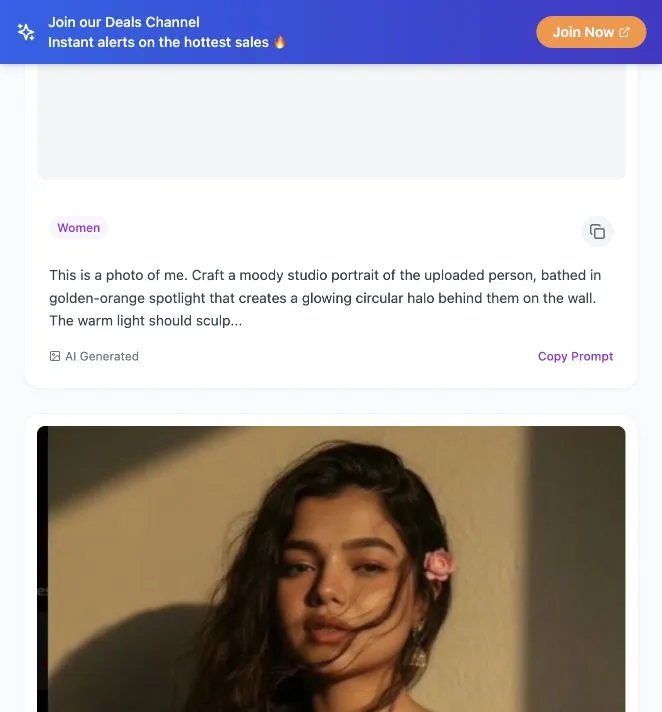
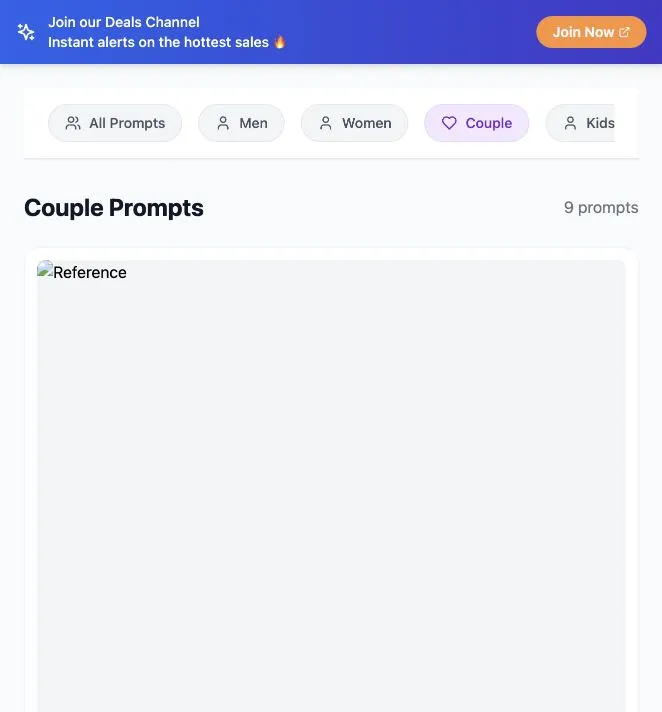
Decide whether you want a warm studio portrait, a nostalgic photograph or an editorial look before reading dozens of cards. Men, Women, Couple and Kids organize the collection by subject. Those labels help you narrow the gallery; you can still adapt clothing, setting and tone to your own subject. The All Prompts view showed 66 entries during our check on October 20, 2026.
A small trial that avoids endless browsing
Open the site, choose Women and compare two cards. That category showed nine prompts during our test. Read the text as instructions: identify the subject, lighting direction, background and photographic treatment. Select one idea you can describe in a sentence. This is a better first task than collecting a large folder of prompts you never try.
Copy the structure, then make it yours
We pressed Copy Prompt on the first Women card and saw Copied! and a confirmation toast. Paste the text into your own draft before using it elsewhere. Replace assumptions about hairstyle, clothes or location. Keep one clear instruction for the visual effect you actually want, and remove details that do not fit your reference.
A simple portrait brief you can write yourself
Try this original brief structure: Create a portrait of the reference subject in a quiet studio. Use warm light from one side, a plain background and a natural expression. Keep the framing at shoulder level. It is a starting structure, not a quoted PromptVault card or a tested generated result. Change only the lighting for your second attempt so you can compare the difference.
Where the creative work continues
PromptVault supplies text and reference images. We did not find or test an image-generation submission flow in the inspected library. Continue in your chosen image tool, following that tool’s reference-image workflow. The prompt library was accessible without payment or sign-in; external model access can have its own terms and costs.
When another tool is more useful
Use this collection when portrait inspiration is the missing piece. If you need a finished poster, precise typography or a layout, follow up in a design editor. If you need a factual diagram or consistent product imagery, write a task-specific brief and inspect the output carefully. A visually appealing reference alone does not establish suitability for every job.
How to use this prompt library
- Choose one portrait mood and subject category.
- Compare two cards and identify their lighting and composition instructions.
- Use Copy Prompt and paste into your own editable draft.
- Replace details that do not fit your subject.
- Try the revised brief in your chosen generator and compare one change at a time.
Who it suits
People starting a personal portrait project, exploring an aesthetic, or learning to describe a visual idea.
What our check establishes
Reference images illustrate a style rather than guaranteeing an identical output. Some previews failed to load during our visit. We tested browsing, category filtering and copy feedback, not generated-image quality.
Gemini Prompt Vercel App FAQ
What is Gemini Prompt Vercel App?
It is the search phrase used to find PromptVault at https://gemini-prompts.vercel.app/, a public library of image-generation prompts with reference cards and subject categories.
Is PromptVault an official Google Gemini website?
The checked website did not establish an official Google relationship. A Gemini-related hostname is not proof of ownership, endorsement or a particular model integration.
Is the prompt library free to browse?
Browsing categories and using the copy control required no payment or sign-in during our October 20, 2026 check. External image generators have their own access rules and costs.
Does this website generate images directly?
The inspected workflow supplied prompt text and reference cards. We did not find or test an image-generation submission flow in that workflow; use your chosen image tool separately.
Which categories are available?
The visible category controls were All Prompts, Men, Women, Couple and Kids. The full collection showed 66 entries, and the Women and Couple views each showed nine during our check.
How do I copy a prompt?
Open the collection, choose a card and press Copy Prompt. Our test displayed Copied! and a confirmation toast. Paste the result into an editable draft and adapt it to your own subject.
Why are some reference pictures blank?
Some image areas did not load during our visit while others did. This records an observed loading limitation; it does not prove that every reference is unavailable.
How should I choose my first prompt?
Choose a mood and one subject category, compare two cards, then adapt one brief. Change a single visual instruction on your next attempt so the result is easier to evaluate.
Source and verification notes
Source: PromptVault at gemini-prompts.vercel.app ↗. Checked the welcome screen, full collection, Women and Couple filters, and copy confirmation on October 20, 2026. No personal photos were uploaded and no generation result was tested. Images on this page are compressed browser screenshots.